Getting your website online can feel like a big step, but it doesn't have to be complicated. When you know how to buy Hostinger hosting and domain step by step, you set yourself up for success. We've broken down the entire process, from picking the right plan to securing your unique web address.
Our research confirms Hostinger offers several plans designed for different needs, with options starting from as low as $1.99 per month for their basic shared hosting. Understanding these choices and the domain registration process ensures you’re making an informed decision for your online presence. Let's walk through it together.

Image source: Pixabay / JillWellington (Pixabay Content License)
Quick Answer
To buy Hostinger hosting and domain step by step, select a hosting plan on Hostinger's site. Then, search for and register your desired domain name during checkout. Set up your account and complete the payment, typically for a multi-month or annual term.
Finally, access your hPanel to manage your new hosting and domain.
Why This Matters: Getting Your Website Online Smoothly
So, why is taking the time to understand this process important? Your website is your digital storefront, your online portfolio, or your passion project. Getting the foundation right from the start, your web hosting and domain name, can save you a lot of headaches down the line.
It's about choosing a reliable home for your site (hosting) and giving it a memorable address (domain name) that people can easily find and remember. Getting this part right means better performance, easier management, and a smoother experience for both you and your visitors.
What You're Actually Buying: Hosting vs. Domain Explained
Let's clear up what hosting and domain names are, as they're often confused. Think of your website as a house. Your web hosting is the plot of land where you build that house.
It’s a server space where all your website's files, images, and data live, making it accessible on the internet 24/7.
Your domain name is the street address for that house, like yourwebsite.com. It's what people type into their browser to find you. You need both to have a functioning website.
Hostinger allows you to purchase both services, often bundled together for convenience.
Hostinger's Hosting Plans: Which One for You?
Hostinger offers a few main types of web hosting, each with different features and resources. Choosing the right one depends on what you plan to do with your website and how much traffic you expect.
Shared Hosting: The Go-To for Beginners
If you're just starting out, building a personal blog, or launching a small business website with modest traffic, Shared Hosting is usually the best fit. With this type, your website sits on a server along with many other websites. It's the most affordable option because the cost of the server is shared among multiple users.
Manufacturer specifications indicate that shared hosting plans are designed for ease of use and are often bundled with essential tools like a website builder and email accounts. It's a great way to get online without breaking the bank.

Image source: Pexels / www.kaboompics.com (Pexels License)
WordPress Hosting: Built for Speed and Simplicity
If your heart is set on using WordPress to build your site, Hostinger’s WordPress Hosting is optimized specifically for it. These plans come with features tailored for WordPress users, often including automatic updates, enhanced security, and improved performance designed to make your WordPress site run smoothly. It's essentially a specialized version of shared hosting, but fine-tuned for the WordPress environment.
Cloud Hosting: Power When You Need It
Cloud Hosting offers more flexibility and power than shared hosting. Instead of relying on a single server, your website is hosted on a network of connected servers. This means if one server experiences issues, others can take over, leading to higher uptime and better performance, especially during traffic spikes.
It's a good step up if your site is growing or you anticipate a lot of visitors.
VPS Hosting: More Control and Resources
For those who need more dedicated resources and control over their server environment, Virtual Private Server (VPS) Hosting is the way to go. A VPS acts like a dedicated server but is virtualized within a larger physical server. This gives you more power, greater security, and the ability to customize your server settings.
It’s typically favored by more experienced users, developers, or websites with demanding resource needs.
Grabbing Your Domain Name: Your Website's Address
Your domain name is your website's unique identity on the internet. It's how customers find you. Choosing the right one is crucial, and Hostinger makes it straightforward to search and register.
How to Search for Your Ideal Domain
When you're ready to get your domain, you'll typically do this during the Hostinger checkout process. You’ll be prompted to enter your desired domain name into a search bar. The system will then check its availability.
If your first choice isn't available, it will suggest alternatives.

Image source: Pexels / Markus Winkler (Pexels License)
Aggregates of user feedback suggest that availability can be tough for very common or short domain names, so having a few options in mind is always a good idea.
Common Domain Extensions to Consider
The most popular domain extension is .com, but there are many others that can work just as well.
- .com: The most recognized and trusted extension globally.
- .net: Often used by network or technology companies, but widely applicable.
- .org: Traditionally for non-profit organizations, but now more broadly used.
- .co: A popular alternative to
.com, especially for startups and businesses. - Specific country-code top-level domains (ccTLDs) like
.usfor the United States or.ukfor the United Kingdom.
The choice of extension can influence perception, but for most, a .com is the go-to if available.
The Step-by-Step Buying Process
Ready to make the purchase? Hostinger's process is designed to be smooth. You’ll move through a few key stages, from selecting your plan to finalizing the order.
Step 1: On the Hostinger Site – Choosing Your Plan
Once you’re on the Hostinger website, navigate to their hosting section. You’ll see the different plan types we discussed: Shared, WordPress, Cloud, and VPS. For most new users, Shared Hosting is the logical first choice.
Click on the plan that best suits your needs, and then look for a button like "Get Started" or "Claim Deal."
This action will take you to the next step where you'll either choose a new domain or indicate you already have one. If you don't have a domain yet, this is where you'll search for one.
Step 2: Selecting Your Domain – Search and Register
Here's where you'll input the domain name you want. Type it into the search box. Hostinger's system will immediately tell you if it's available.
If it is, you'll likely see an option to add it to your cart for registration. If it’s not available, the system will offer suggestions, perhaps with different extensions (.com.net, etc.) or slight variations.
Per Hostinger's documentation, domain registration is usually included free for the first year with longer hosting plan commitments. Keep an eye out for this offer as it's a significant saving.
Step 3: Account Setup and Details
After selecting your plan and domain, Hostinger will guide you through creating an account. You’ll need to provide basic contact information, including your email address, a password, and your name. This information is crucial for account management and for Hostinger to verify your domain registration.
Ensure you use a valid email address, as it will be used for important communications, including invoices and account recovery.
Step 4: Payment – What to Expect
Hostinger offers several payment terms, typically ranging from one month up to four years. Purchasing a longer term, like 24 or 48 months, often unlocks the most significant discounts, bringing the monthly cost down considerably. As of 2026, their best introductory prices are usually tied to these longer commitments.
Payment methods usually include major credit cards and PayPal, providing flexibility for most users. Review your order summary carefully before confirming payment to ensure the plan, domain, and term length are exactly what you expect.
Step 5: Your Control Panel and Initial Setup
Once your payment is processed, you'll be directed to your Hostinger account dashboard, or hPanel. This is your central hub for managing your hosting and domain. From here, you can access website builders, set up email accounts, install applications like WordPress, and manage your files.
The initial setup is usually quite streamlined. Hostinger often provides prompts or a guided tour to help you get started with essential tasks, making the transition from purchase to active website management as smooth as possible.
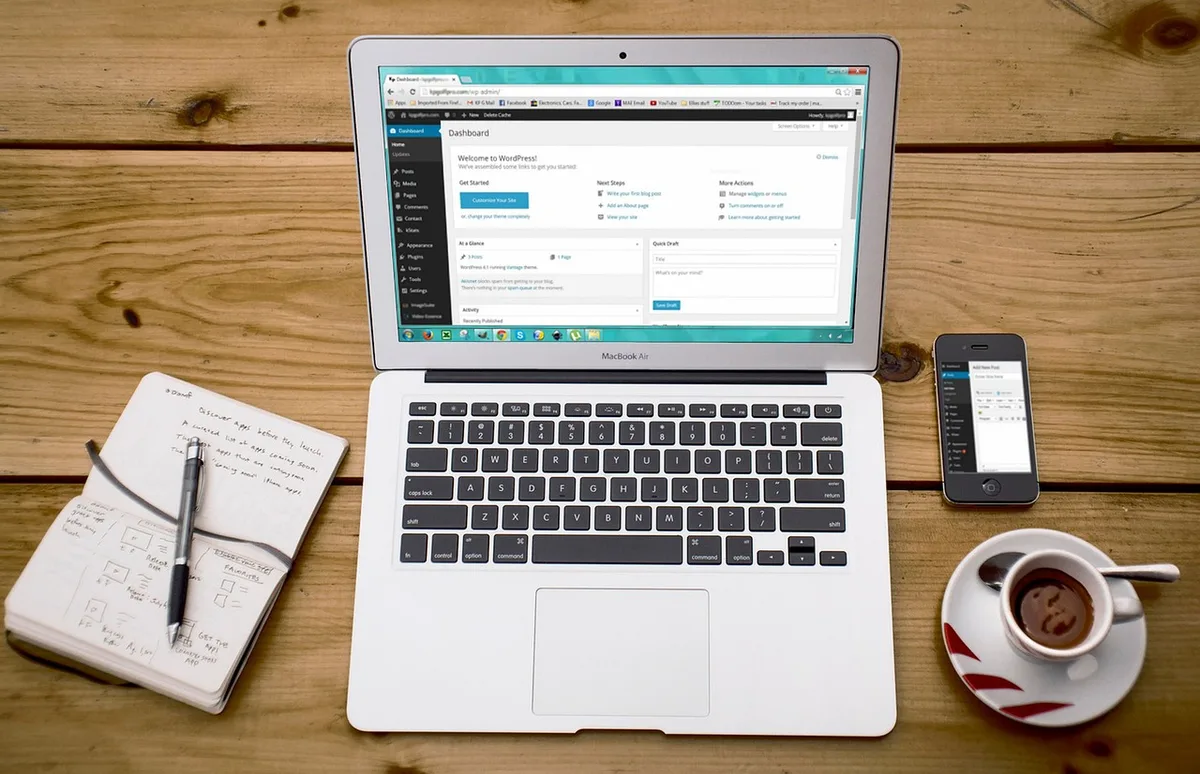
Image source: Pixabay / 27707 (Pixabay Content License)
Essential Features You'll Get
When you sign up with Hostinger, several key features are typically included, especially with their shared and WordPress hosting plans. These are designed to get your website up and running securely and efficiently.
Free SSL Certificate: Keeping Your Site Secure
An SSL certificate is vital for any website today. It encrypts data exchanged between your website and its visitors, indicated by a padlock icon in the browser address bar and the https:// prefix. This is crucial for user trust, security, and even SEO.
Hostinger commonly includes a free SSL certificate with most of their plans, which is a significant value.

Image source: Pexels / Adrian Jozefowicz (Pexels License)
Without it, your site might show security warnings, deterring visitors.
Email Accounts: Professional Communication
Your hosting package usually includes the ability to create professional email addresses using your domain name, like yourname@yourwebsite.com. Having custom email addresses enhances your brand's credibility considerably, making you appear more established and trustworthy than using a generic free email provider. You can typically create multiple email accounts for different team members or purposes within your hPanel.
Website Builder: Drag-and-Drop Ease
For those who aren't developers or don't want to learn complex coding, Hostinger offers an integrated website builder. This tool typically uses a drag-and-drop interface, allowing you to visually design your web pages by adding elements like text boxes, images, and buttons. It simplifies the creation of visually appealing websites without needing any technical expertise.
What to Watch Out For: Common Pitfalls
While Hostinger aims for simplicity, there are a few common traps new users can fall into. Understanding these ahead of time helps you avoid them.
Understanding Renewal Prices
The super low introductory prices on hosting plans are usually for the first term only. When your initial contract is up for renewal, the price will jump to the standard rate, which can be significantly higher. Always check the renewal prices listed on the plan details page before you commit to a long-term contract.
This is a standard practice across the web hosting industry, not unique to Hostinger. Paying for a longer term upfront locks in a lower price for that entire period, but the renewal rate still applies afterward.
Choosing a Plan That's Too Small (or Too Big)
Starting with the absolute cheapest plan might seem smart, but if your website gets more traffic than expected, you could run into performance issues. Conversely, overspending on a high-tier plan you don't need is wasteful. Review Hostinger's plan specifications carefully.
Consider your projected traffic and website complexity. If you're unsure, starting with a mid-tier shared plan and upgrading later is often a safer bet than starting too small. Hostinger’s systems allow for upgrades if your needs grow.
Domain Privacy Protection: Should You Get It?
When you register a domain name, your contact information (name, address, email, phone number) is typically stored in a public database called WHOIS. Hostinger offers Domain Privacy Protection as an add-on. This service replaces your personal information with Hostinger's details in the public record, safeguarding your privacy.
While not strictly required, verified buyer feedback reports that most users find this an worthwhile purchase, especially for personal websites or small businesses concerned about unsolicited contact.
How Much Does It All Cost?
Hostinger is known for its competitive pricing, especially for new customers. Introductory offers can bring the monthly cost for basic shared hosting down to a few dollars. However, remember these are promotional rates.
The renewal prices are what you'll pay after the initial term ends. These vary by plan; for example, a plan that costs $1.99/month initially might renew at $7.99/month or more. Domain registration is often free for the first year with longer hosting plans, but renews at a standard annual fee thereafter.
Always check the specific pricing for the plan and term you select.
Hostinger's Support: Help When You Need It
When you're setting up a website, questions are bound to come up. Hostinger offers 24/7 customer support, primarily through live chat and email. Their knowledge base is also extensive, with articles covering a wide range of common issues and setup guides.
Response times for live chat are generally quick, which is helpful if you run into a problem during your purchase or initial setup. For more complex issues, their email support can also provide assistance.
Frequently Asked Questions
How long does setup take after payment?
Setup after payment is usually very fast, often taking just a few minutes. Once your payment is confirmed, your hosting account and domain will be provisioned, and you'll gain access to your hPanel control panel to start building your site.
What happens if my domain name isn't available?
If your desired domain name is already taken, Hostinger's system will suggest available alternatives. These might include different domain extensions (like .net or .org) or variations on your chosen name. You can continue searching until you find one you like.
Can I change my hosting plan later?
Yes, you can typically upgrade your hosting plan with Hostinger if your website's needs grow. The process usually involves a prorated charge for the difference in cost. Downgrading might be possible, but it's often more complex and may involve losing data or features.